What Does a Tax Return Transcript Look Like? A Visual Guide
What does a tax return transcript look like? Get a visual breakdown with clear examples. Learn to read your IRS transcript and understand what each field means.

In this article
- Your First Look at a Tax Return Transcript
- What Key Information Is Included
- Finding the Numbers You Need
- How to Read Your Transcript Field by Field
- The Header Information
- Understanding Per Return vs Per Computer
- The Income Section
- Key Fields on Your Tax Return Transcript Explained
- Credits and Tax Calculation
- Return Transcript Versus Account Transcript
- What an Account Transcript Reveals
- Decoding Common IRS Transcript Codes
- The Most Common Codes and What They Mean
- Codes That Signal a Problem or Delay
- When and How to Get Your Tax Transcript
- How to Request Your Transcript for Free
- So, You’ve Got Your Transcript. Now What?
- Spotting Trouble: When to Hit the Brakes
- The Big Question: DIY or Call a Pro?
- Frequently Asked Questions About Tax Transcripts
- Is a Tax Transcript the Same as a Tax Return Copy?
- How Long Does It Take to Get a Tax Transcript?
- Why Does My Transcript Show a Different Income Amount?
- Can I Get a Transcript for My Business?
So, what does an IRS tax return transcript actually look like? The first thing to know is that it’s not a copy of the Form 1040 you filed. Think of it more like the IRS’s internal summary of your return—a simple, line-by-line confirmation of the key numbers they officially have on record.
It’s the government’s version of your tax story for a specific year.
Your First Look at a Tax Return Transcript
If you’re seeing a tax return transcript for the first time, it can look a bit… plain. It’s a text-only document, and it's far less complicated than the dense, multi-page return you spent hours preparing. It really is the "CliffsNotes" version of your tax filing, showing just the final figures for your income, deductions, and tax due.
This simplicity is precisely why it’s so valuable. When a mortgage lender, business loan officer, or college financial aid office asks for your tax information, they almost always prefer a transcript. Why? Because it comes directly from the IRS, proving the numbers you’ve given them match what the government has processed. It cuts out any possibility of fraud or error.
What Key Information Is Included
A tax return transcript breaks down your filed Form 1040 into its most essential components. It shows exactly what the IRS accepted, including your wages, major deductions, and that all-important number: your adjusted gross income (AGI).
You won't see the detailed worksheets or schedules, but you will find clear entries like 'WAGES, SALARIES, TIPS, ETC: $13,000.00' and 'ADJUSTED GROSS INCOME PER COMPUTER: [calculated amount]'. The Taxpayer Advocate Service offers some great detailed explanations of what you'll find on these summaries.
Here's what you can expect to see, so you can get a feel for the layout.

As you can see, the transcript organizes the most critical data into a clean list. This makes it incredibly easy to find a specific number without having to hunt through the pages and pages of your original tax return.
Finding the Numbers You Need
When a lender or school requests a transcript, they're usually just looking for a few specific lines to verify your financial standing. Once you know where to look, you can pull these numbers in seconds.
Here are the most commonly requested fields:
- Adjusted Gross Income (AGI): This is the holy grail. It’s the number most loan and aid applications are built on.
- Wages, Salaries, Tips, Etc.: This line confirms your total reported income from employment.
- Total Tax Liability: Shows the final amount of tax you owed for the year before payments or credits.
- Filing Status: Verifies whether you filed as Single, Married Filing Jointly, Head of Household, etc.
Getting comfortable with this document takes the mystery out of your tax records and gives you the confidence to handle financial requests. Of course, if you pull your transcript and spot numbers that don't look right or raise questions, it may be time to call in a professional. Navigating a potential issue with the IRS is always easier when you know how to find a good tax attorney.
How to Read Your Transcript Field by Field
Opening up a tax return transcript for the first time can feel a little intimidating. It’s a dense document, packed with codes and figures that look nothing like the Form 1040 you filed. But don't worry—it’s not as complicated as it seems.
Think of it as the IRS's official summary of your tax return. Once you know where to look, you can quickly find any number you need. This skill is a core part of effective document analysis, turning a jumble of data into a clear financial story.
The Header Information
First things first, you need to confirm you're looking at the right document. The header at the top of the page contains all the basic identifying details.
You'll find essentials like:
- Your Name and Address: Make sure it matches the information the IRS has on file.
- Masked Social Security Number (SSN): For your security, only the last four digits are visible, like
XXX-XX-1234. - Filing Status: This confirms if you filed as Single, Married Filing Jointly, Head of Household, etc.
- Form Type: It will specify the form used, which is almost always Form 1040.
- Tax Period Ending: This tells you the specific tax year, such as Dec. 31, 2023.
This section is just for verification. Once you’ve confirmed the basics are correct, you can move on to the numbers.
Understanding Per Return vs Per Computer
Now for the most important part of the entire transcript. As you scan down the page, you'll see two columns for nearly every financial entry: "Per Return" and "Per Computer." This is where the real story is.
Per Return (PR): This column shows the numbers exactly as you (or your accountant) entered them on your original tax return.
Per Computer (PC): This column shows the final numbers after the IRS has processed your return and made any necessary changes.
If the figures in both columns are identical, congratulations—the IRS accepted your return as filed with no adjustments. But if you see a difference, it's a flag that the IRS changed something. This is your first and best clue that a correction was made, whether it was a small math error or a more significant change to your income or deductions.
The Income Section
The next major section breaks down all your reported income sources, line by line. It pulls directly from your Form 1040, listing out everything from wages and salaries to interest, dividends, and business income.
For example, a freelancer’s transcript will show their business earnings under a line item like BUSINESS INCOME OR LOSS (Schedule C). If you didn't have a business, you might see a zero value, but the line will still be there. You can see an official sample transcript to get a feel for how these different income types are laid out.
To help you decode the most common entries, here’s a breakdown of the key fields you'll find on a typical tax return transcript.
Key Fields on Your Tax Return Transcript Explained
This table breaks down the most important lines you'll find on a tax return transcript and what they mean for you.
| Transcript Field Name | What It Means | Why It's Important |
|---|---|---|
| Adjusted Gross Income (AGI) | Your gross income minus specific "above-the-line" deductions. | This is the most requested number for loans, financial aid, and mortgages. |
| Taxable Income | Your AGI minus your standard or itemized deductions. | This is the actual amount of your income that is subject to federal income tax. |
| Total Tax | The final tax liability calculated by the IRS based on your taxable income. | This tells you your total tax bill before any payments or refundable credits are applied. |
| Total Credits | The sum of all tax credits you claimed, like the Child Tax Credit or education credits. | Credits reduce your tax liability dollar-for-dollar, so this line directly impacts how much you owe or get back. |
| Wages, Salaries, Tips, Etc. | Your total employment income, typically from your W-2s. | This is the primary income source for most taxpayers and is often verified by lenders. |
| Exemptions | An older field referring to personal and dependent exemptions (now $0 for most). | While the exemption amount is zero, this line confirms how many dependents the IRS has on record for you for that tax year. |
Knowing what these specific lines represent empowers you to quickly pull the exact information you need, whether you're applying for a mortgage or just verifying that the IRS processed your return correctly.
Credits and Tax Calculation
Finally, after the income section, the transcript gets to the bottom line: your tax calculation. This is where you’ll find some of the most critical figures.
Key lines to watch for here are Adjusted Gross Income (AGI), Taxable Income, Total Tax, and Total Credits. The AGI, in particular, is the single most important number on this document for most people, as it's the figure lenders and financial aid offices use to determine eligibility.
By working through these sections step-by-step, you can transform what looks like a confusing government form into a clear summary of your financial year. You'll know exactly what the IRS has on record, putting you back in control of your own data.
Return Transcript Versus Account Transcript
When you log into the IRS portal to grab a transcript, you're faced with a few different options. It's incredibly easy to pick the wrong one, and I've seen that simple mistake cause major delays for people trying to get a mortgage or secure financial aid. So, let's clear up the difference between a Tax Return Transcript and a Tax Account Transcript—they are not the same thing.
Think of the Tax Return Transcript as a clean, simple summary of the tax return you originally filed. It’s like a "greatest hits" album, showing all the key line items from your Form 1040 as the IRS first processed them. This transcript is perfect for verifying numbers like your Adjusted Gross Income (AGI), which is exactly what most lenders want to see.
The Tax Account Transcript, on the other hand, tells the whole story for that tax year. It’s a running diary of every single action that has occurred on your account since you filed.
What an Account Transcript Reveals
While the Return Transcript is a static snapshot, the Account Transcript is a dynamic, chronological record. It’s less about the numbers you reported and more about the administrative journey your return has taken.
This is where you'll find the nitty-gritty details, including:
- Any payments you've made toward your tax bill.
- Penalties and interest the IRS has charged to your account.
- Adjustments the IRS made to your return, perhaps during an audit.
- A record of official notices sent to your address.
For anyone dealing with tax debt or navigating an audit, the Account Transcript is indispensable. It gives you the full picture of where you stand with the IRS. For instance, the IRS flagged over 1.9 million returns for potential identity theft in a recent year; that kind of issue would only show up as a special code on an Account Transcript.
An Account Transcript is where you will find crucial IRS transaction codes (TCs) that are completely invisible on a Return Transcript. Codes like TC 570 (Account Hold/Freeze) or TC 971 (Notice Issued) provide direct insight into delays or problems with your account.
This simple flowchart helps visualize the first step in troubleshooting: comparing the numbers on your transcript to the return you actually filed.
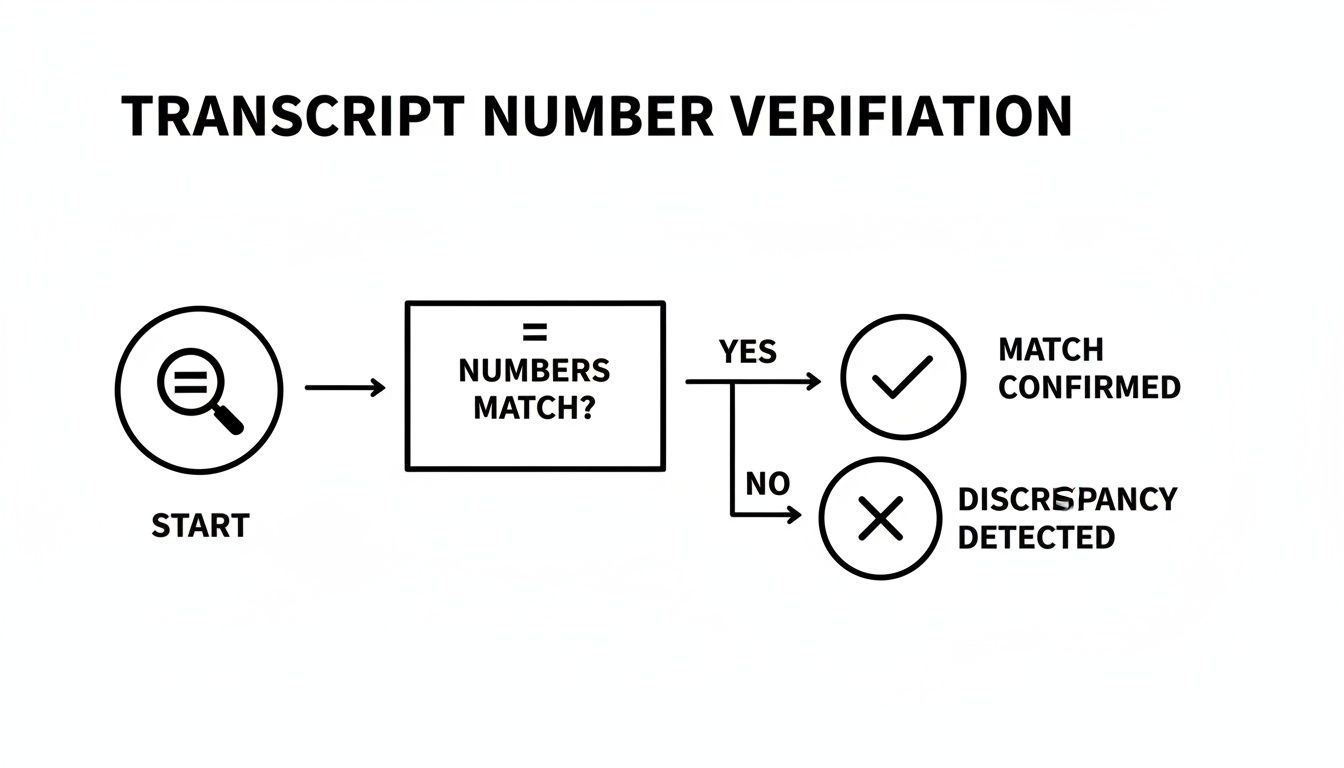
If you pull your Return Transcript and the numbers don't match what you remember filing, your very next step should be to get the Account Transcript. It contains the clues that will help you figure out why things are different, making it an essential tool for resolving any tax mystery.
Decoding Common IRS Transcript Codes
If your Tax Return Transcript is the final score of the game, the Tax Account Transcript is the play-by-play commentary. This document tells the whole story of your account using the IRS's internal language: Transaction Codes (TCs). Think of them as the agency's private notes, tracking every single move made on your account.
Once you learn how to read these codes, a confusing page of numbers transforms into a crystal-clear diagnostic tool. You can see precisely when the IRS processed your return, applied a payment, or even tacked on a penalty. For anyone with a tax situation that's even a little complicated, this is where the real answers are found.
The Most Common Codes and What They Mean
Every code corresponds to a specific action. Getting familiar with just a handful of the most common ones will give you a solid grasp of what’s happening with your account. Let's translate the IRS jargon into plain English.
TC 150 (Tax Assessed): This is the starting line. It’s the original amount of tax calculated from your return right after it was processed. Your account balance for the year begins with this number.
TC 806 (W-2 or 1099 Withholding): This code simply shows the total federal income tax you already paid through withholdings from your paychecks or other income. It’s a credit that gets subtracted from the tax you owe.
TC 766 (Credit to Your Account): You'll see this for certain refundable credits you claimed, like the Earned Income Tax Credit or the refundable portion of the Child Tax Credit.
TC 430 (Refund Transferred): Did you overpay this year but owe money for a previous year? This code shows the IRS intercepted your refund and used it to pay down that other tax debt.
Together, these codes paint the basic financial picture. They lay out what the IRS says you owed versus what you’ve already paid through your withholding and credits.
Don't panic if you see a code on your transcript that isn't on this list. The IRS has hundreds of them, but focusing on the most frequent ones will help you make sense of your account's status and activity.
Codes That Signal a Problem or Delay
While most codes are just business as usual, a few are red flags that mean your account needs a closer look. Spotting these early can help you resolve potential issues before they snowball.
For instance, seeing a TC 570 (Additional Account Action Pending) is the IRS’s way of saying "hang on." It means your refund is frozen and your account is on hold. This is often followed by a TC 971 (Notice Issued), which confirms that a letter is on its way to you, likely asking for more information or to verify your identity.
Another one to watch is TC 290 (Additional Tax Assessed). If it shows $0.00, you can breathe easy. But if you see a positive dollar amount next to this code, the IRS has increased the tax you owe, usually after an audit or a correction to your return. This is why knowing what a tax return transcript looks like and comparing it to these account codes is so important for catching discrepancies.
When and How to Get Your Tax Transcript
So, you know what a tax transcript looks like, but that’s only half the story. The real question is, why would you ever need one? Think of a transcript as the official, IRS-stamped proof of your income—a document that carries a lot of weight in big financial moments.
It’s not just another tax form you file away. You’ll find yourself needing a transcript most often when you’re applying for a loan. Mortgage lenders, for example, will almost always ask for one. They use it to verify your Adjusted Gross Income (AGI) and get a clear picture of your financial history before lending you hundreds of thousands of dollars for a home. The same is true for business or personal loans; it’s the lender’s way of getting an unbiased financial snapshot directly from the source.

Another major reason? College. If you or your child is filling out the Free Application for Federal Student Aid (FAFSA), you’ll likely be asked to submit a tax transcript. It's how the Department of Education confirms the income information you’ve reported.
How to Request Your Transcript for Free
Thankfully, getting your hands on a transcript is surprisingly easy and doesn't cost a dime. The IRS gives you a few different ways to do it, so you can pick whatever works best for you. As tax professionals, we pull these for clients all the time, and many firms now rely on cloud based tax software to help manage these documents and streamline the process.
Here are the main ways you can request yours:
Get Transcript Online: This is the fastest method by a long shot. You'll need to set up a secure account on the IRS website through their partner, ID.me. It involves a one-time identity verification (usually with a driver's license or other photo ID), but once you're in, you can view and download any of your transcripts instantly as a PDF.
Get Transcript by Mail: If you’re not in a rush or just don't want to create an online account, this is a great option. You just fill out a quick form on the IRS website, and they'll mail the transcript to the address they have on file from your last return. Just be sure to plan ahead, as it typically takes 5 to 10 calendar days to arrive.
Transcripts are also essential tools for tax professionals and taxpayers navigating IRS issues. If you get a notice in the mail or are facing an audit, the first thing you should do is pull your transcripts. They give you the complete story of your account from the IRS's perspective, which is critical for understanding what’s going on.
If you do find a problem or a strange code on your transcript, it’s important not to panic. The key is to understand what you're looking at and figure out the right next steps. If things feel overwhelming, our guide on getting IRS audit help can walk you through the process and help you handle the situation correctly from the start.
So, You’ve Got Your Transcript. Now What?
You’ve successfully pulled your tax transcript and started to make sense of the codes and figures. This is the moment where you go from just gathering information to taking meaningful action. What you do next hinges entirely on what you found.
If everything lines up perfectly with your own records, you can breathe a sigh of relief. You now have exactly what the bank, mortgage lender, or financial aid office needs. You can confidently submit it, knowing the numbers are verified directly by the IRS.
Spotting Trouble: When to Hit the Brakes
But what if you find something unexpected? It’s not uncommon for a transcript to be the first place a taxpayer discovers a brewing issue—a surprise balance due, a penalty you never knew about, or a glaring difference between the “per return” and “per computer” figures.
When that happens, your first move is to pause. Don’t panic.
A discrepancy on a transcript isn't just a random number; it tells a story. It could be something as simple as a math error the IRS corrected, or it might point to a bigger problem, like an unfiled return or a past audit change you weren't aware of.
If you spot a clear mistake that was on your end—like forgetting to report a 1099 from a freelance gig—the path forward is usually filing a correction. Our guide on how to amend a tax return is a great resource that walks you through that process.
The Big Question: DIY or Call a Pro?
For simple fixes, like amending a return for a forgotten W-2, you might feel comfortable handling it yourself. But if your transcript is throwing up confusing transaction codes, shows a frozen refund, or reveals a surprise tax assessment, it's probably time to get some professional guidance.
It's a good idea to seek expert help if you find any of these red flags:
- A TC 570 code, which signals a freeze or hold on your account.
- A TC 290 code next to a dollar amount, indicating the IRS has assessed additional tax.
- Evidence that the IRS has filed a Substitute for Return (SFR) because they haven't received one from you.
Figuring out what a tax return transcript looks like is a huge first step toward taking control of your tax situation. But knowing when to tag in a professional to decipher what you’ve found is just as important. A seasoned tax pro can read between the lines, explain what’s really going on, and represent you to get the best possible resolution.
Frequently Asked Questions About Tax Transcripts
When you start digging into IRS records for the first time, it's natural to have questions. Let's walk through some of the most common ones I hear from clients to clear up any confusion right away.
Is a Tax Transcript the Same as a Tax Return Copy?
No, and it's a critical distinction to understand. Think of a tax transcript as the IRS's official summary of your return—a computer-generated report showing the key line items. A copy of your tax return, on the other hand, is an exact image of the entire document you filed, complete with all forms and attachments.
Lenders and financial aid offices almost always ask for a transcript. Why? Because it's an official record straight from the IRS, confirming the numbers they actually have on file, and you can get it for free. A full copy of your return costs money and takes longer to get.
How Long Does It Take to Get a Tax Transcript?
The absolute fastest way is through the "Get Transcript Online" tool on the IRS website. If you can verify your identity, you'll get immediate access to a PDF you can download on the spot.
If you request one by mail, plan on waiting a bit. It typically shows up in your mailbox within 5 to 10 calendar days.
Why Does My Transcript Show a Different Income Amount?
This is a huge red flag that you need to investigate. It almost always means the IRS adjusted your return after you filed it. This is why transcripts often show two figures: a "per return" amount (what you reported) and a "per computer" amount (what the IRS calculated after making changes).
Seeing a difference here is your first clue that something is wrong. For a deeper dive into why the IRS makes these changes, you'll find our guide to understanding IRS letters and notices extremely helpful.
A difference between the "per return" and "per computer" figures is a direct signal from the IRS that they have altered the information you submitted. Investigating this discrepancy is the first step toward resolving any potential tax issue.
Can I Get a Transcript for My Business?
Absolutely. You can request transcripts for any type of business entity, whether you file a Form 1120 for a corporation or a Form 1065 for a partnership.
This is a routine part of applying for business loans, participating in SBA programs, or just sorting out a complicated business tax matter. Most professionals use Form 4506-T to make these requests on behalf of a business.
If you’ve pulled your transcript and are staring at confusing codes, an unexpected balance due, or changes you don't understand, don't try to decipher it alone. Attorney Stephen A. Weisberg offers a free, no-obligation tax debt analysis to help you make sense of your situation and find a clear path forward. Learn how we can help at https://weisberg.tax.